iOS — built-in browser

Take back your feed.

Focus on posts from people you follow.

Hide algorithmic feeds on Instagram, YouTube, X, and Facebook. Focus on posts from the people you actually follow. Shorts and Reels hidden too.

Monthly$1.99(tax incl.) Free trial7days RequiresiOS 26+
Before
Suggested Reels Ad Suggested
After — followed only
* Works inside this app's built-in browser. Does not modify the native Instagram, YouTube, X, or Facebook apps.
Sound familiar?

Time slips away on posts
you never asked for.

SNS isn't the enemy — but the algorithm is exhausting. With this app, you see only what you chose to follow, and your time becomes yours again.

01

Endless scroll

Hours go by. The algorithm keeps surfacing one more post you didn't ask to see.

02

Posts you didn't choose

Strangers, ads, opinions. What you actually wanted was your friends' updates.

03

Shorts & Reels traps

15 seconds turns into 3 a.m. Focus, energy, intent — all quietly drained.

Features

A quieter feed — no suggestions, no Shorts.

Purpose-built filters for each platform. Just turn it on to hide suggestions and short videos all at once.

Instagram with filters applied
Instagram

See only who you want.

A filtered feed loads automatically. Recommended posts, Reels, and Threads prompts disappear — only the posts you wanted to see remain.
  • Followed-only feed on open
  • Hide recommended posts & Reels
  • Hide Threads prompts & Explore
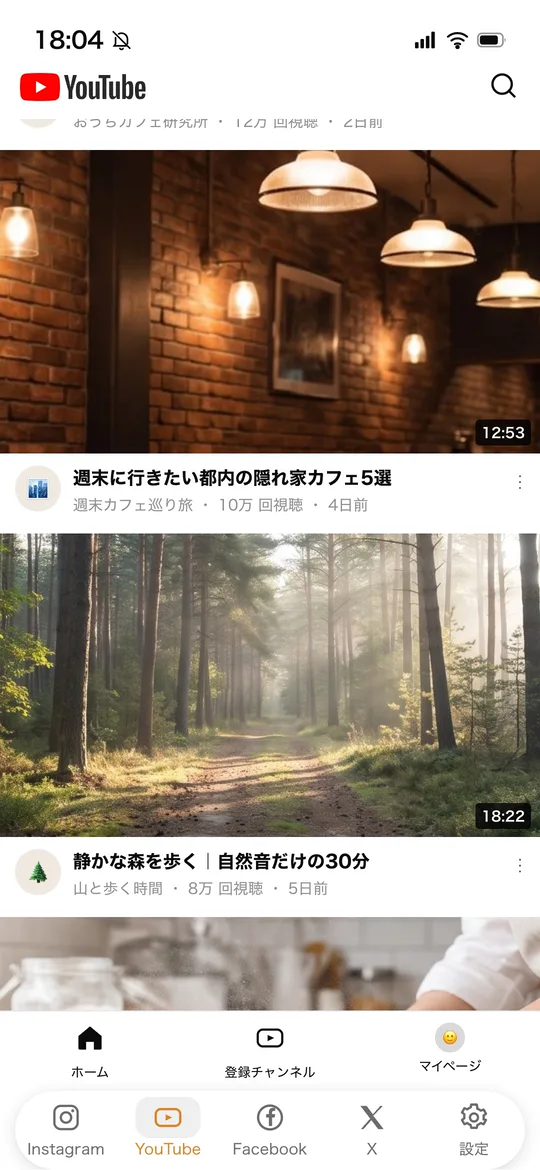
YouTube with filters applied
YouTube

A screen without Shorts.

Hide Shorts videos, the Shorts tab, and community posts in one move. Get back to actually watching what you wanted to watch.
  • Hide Shorts videos
  • Hide Shorts tab
  • Hide community posts
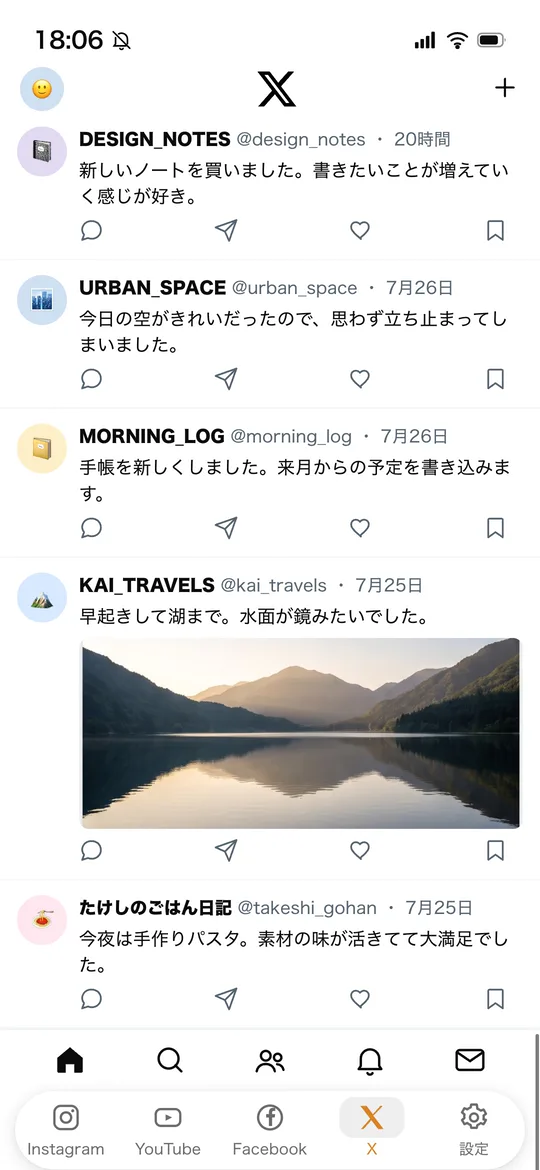
X with filters applied
X (formerly Twitter)

Just the people you follow.

The For You tab disappears and the timeline stays locked to Following. Trends and Premium prompts are gone — a quiet timeline again.
  • Lock the timeline to Following
  • Hide the For You tab
  • Hide trends
  • Hide Premium prompts
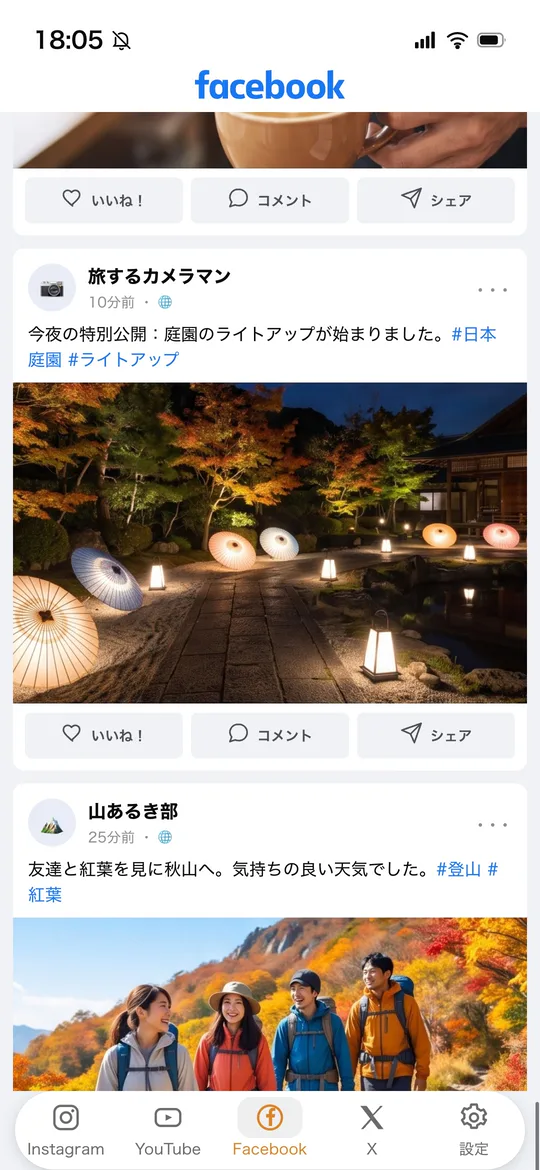
Facebook with filters applied
Facebook

Only people you care about.

Switches to a filtered feed automatically. It starts from a feed where suggested posts and Shorts do not appear.

  • Filtered feed on open
  • Suggested posts & Shorts do not appear
How it works

Three steps.
To a feed without the noise.

1

Install

Download from the App Store and start your 7-day free trial.

2

Open SNS in the app

Tap a tab to open Instagram, YouTube, X, or Facebook. Log in inside the app.

3

Filters apply automatically

Filters apply automatically. Toggle each feature on or off in Settings.

It doesn't touch your other apps.

All filtering happens inside this app's browser. Your native Instagram, YouTube, X, and Facebook apps stay exactly the same.

Settings screen
Settings

Settings are
dead simple.

Just flip toggles ON or OFF. No complicated setup required.

Per-filter toggles Toggle ON/OFF per platform
Instant apply One tap to switch
Simple to use Clear, no confusion
Pricing

Simple, sustainable
pricing.

$ 1.99 / month (incl. tax)
7-day free trial to start.
  • Cancel anytime
  • No ads inside the app
  • All features included
Download on the App Store

Subscription terms

  • Payment will be charged to your Apple ID account.
  • Subscription auto-renews unless canceled at least 24 hours before the end of the current period.
  • Your account will be charged for renewal within 24 hours prior to the end of the current period.
  • Manage or cancel subscriptions in your App Store account settings after purchase.
  • Any unused portion of a free trial is forfeited when you purchase a subscription.
FAQ

Questions,
answered.

Does it apply to the official apps?
No. It only works inside this app's built-in browser. Your native Instagram, YouTube, X, and Facebook apps remain unchanged.
How do I cancel?
Open Settings → Apple ID → Subscriptions on your device. You can manage or cancel at any time.
What happens to my login info?
You log into each SNS directly inside the app. Credentials are stored securely on your device and are never transmitted externally.
Does it work offline?
Browsing SNS itself needs an internet connection, but the filtering process runs entirely on your device — no server required.
Can I cancel during the free trial?
Yes. Cancel during the trial and you won't be charged. Please cancel at least 24 hours before the trial ends.
Which iOS versions are supported?
iOS 26 and later. Works on iPhone.
What languages are supported?
Japanese and English. The app automatically switches based on your device language.
Contact

Get in
touch.

Have a question or feedback? We'd love to hear from you.

Please enter your name.

Please enter a valid email address.

Please enter your message.